How to Use QR Codes to Drive
Online Orders at Your Restaurant
QR codes had their big comeback during the pandemic, and they're here to stay. For restaurant owners, they're one of the simplest and cheapest tools for converting in-store customers into online orderers.
A QR code that links to your ordering page is a bridge between your physical restaurant and your digital channels. Here's how to use them effectively.
Where to Put Your QR Codes
The best QR code placement catches customers at the moment they're most likely to think about ordering from you again.
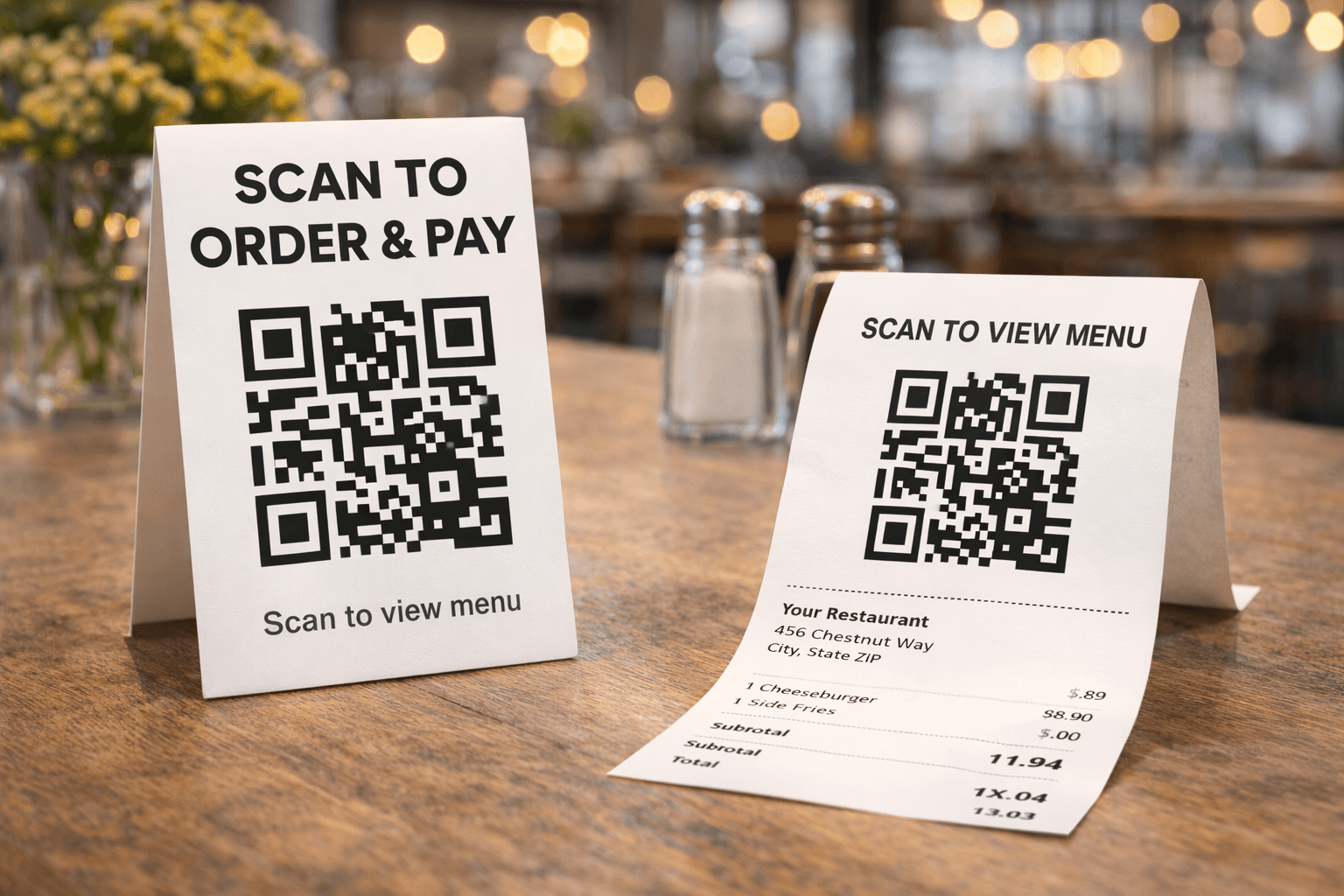
Receipts. Every customer who pays at the register sees a receipt. Add a QR code with text like: "Love your meal? Order ahead next time — scan to visit our online menu." This is especially powerful for takeout customers who are already in the habit of ordering to go.
Takeout bags and packaging. This is your highest-value placement for converting third-party delivery customers. When someone receives a DoorDash order from you, a card or sticker in the bag with a QR code and a message like "Order directly from us next time — skip the fees" can redirect future orders to your direct channel.
Table tents. Place small tent cards on every table: "Skip the wait next time — scan to order ahead from our app or website." Dine-in customers who have a great experience are primed to order from you again.
Front window and door. A QR code on your window catches foot traffic — people walking by who want to browse your menu or place an order without coming inside.
Register and checkout area. Staff can point to the QR code while customers are waiting: "Scan this to download our app — you'll earn loyalty rewards on every order."
Menu inserts. If you use physical menus, add a small QR code section: "Want to order for delivery or pickup? Scan here."
Business cards. Add a QR code to the back of your business cards. When you hand someone a card at a networking event or community function, they can go directly to your ordering page.
What Should Your QR Code Link To?
You have two good options:
Your Gegsy Storefront (yourrestaurant.gegsy.app) — This is the best choice for most placements because it works instantly on any device with no download required. Customers scan, browse the menu, and order. Your storefront also displays an app download banner, so web visitors can convert to app users naturally.
Your app download page — Use this for placements where you're specifically promoting the app, like loyalty program signage: "Download our app and earn points on every order."
Gegsy Tip: For most placements, link to your storefront. It has zero friction — no download required — and the storefront will prompt customers to download the app on its own.
How to Create QR Codes
You don't need fancy software. Free tools like QR Code Generator (qr-code-generator.com) or Canva let you create QR codes in seconds. Just paste your storefront URL, customize the color to match your brand, and download it.
Keep the design simple. Make sure there's enough contrast (dark code on light background) and that the code is at least 1 inch × 1 inch when printed — smaller codes are harder to scan.
Gegsy Tip: Test every QR code on at least two phones before printing. A code that doesn't scan is worse than no code at all.
Pair Your QR Code with a Clear Call to Action
A QR code by itself won't drive action. It needs context — a short message that tells the customer why they should scan it.
Good examples:
- "Order ahead — skip the line"
- "Get 10% off your first online order"
- "Earn loyalty rewards on every order"
- "Order delivery directly from us — no DoorDash fees"
- "Browse our full menu and order now"
Bad examples:
- "Scan me" (scan you for what?)
- A QR code with no text at all
- A QR code buried in the corner of a poster with no call to action
Track What's Working
If you create different promo codes for different QR code placements, you can track which locations drive the most orders. For example:
- TABLETEN — code on table tents
- BAGINSERT — code in takeout bags
- WINDOW — code on window signage
Check your Gegsy dashboard to see which codes are being redeemed most frequently, and double down on those placements.
The Bottom Line
QR codes cost almost nothing to create and print, and they work 24/7. A single QR code on a takeout bag can convert a third-party delivery customer into a direct orderer — saving you commission fees on every future order from that customer.
Put them everywhere your customers are, pair them with a clear reason to scan, and link them to your Gegsy Storefront for zero-friction ordering.
👉 Get your storefront link ready to share — sign up and go live in minutes.
Ready to try Gegsy?
Sign up risk-free and launch your branded mobile app within 24 hours.
No setup fees. No long-term contracts.